Apps & Websites
Digital tools, online platforms, and websites that support flight planning, weather briefings, training, and day-to-day aviation tasks.

Modern flight training relies heavily on digital tools to support learning, planning, and safe decision-making. Aviation apps and websites play an important role both on the ground and in the cockpit, while online ground school resources provide structured learning outside of flight lessons. The resources in this section are grouped into Ground School, Apps, and Websites, highlighting essential tools that help student pilots study effectively, plan flights with confidence, and stay informed throughout their training and beyond.

Online Ground School
Ground school resources provide structured instruction in the theory and knowledge required for flight training. These courses and materials cover core topics such as air law, meteorology, navigation, aircraft systems, and human factors, helping student pilots prepare for the TC written exam and build a strong foundation for safe flight operations.
Transport Canada sets minimum ground school hour requirements for each licence. For example, the Private Pilot Licence requires a minimum of 40 hours of ground school, while the Commercial Pilot Licence increases that requirement to 80 hours.
However, these minimums can be misleading. Most pilots will tell you that while many of the concepts themselves are not overly difficult, the sheer volume of material is the real challenge. It’s common to hear pilots describe the PPL experience as “drinking from a firehose.” In practice, you should expect to spend significantly more time than the Transport Canada minimum completing ground school and studying for your written exam in order to fully understand the material and feel prepared.
When completing ground school in Canada, you generally have two options: in-person at your flight school or online. Which option is best for you will vary largely on personal preference. For those that choose to complete Ground School online, we recommend the following options.
✈️PilotTraining.ca/Harv's Air
PilotTraining.ca is arguably the largest online ground school in Canada. Their ground school courses range from the Private Pilot Licence to the Arline Transportation Pilot Licence, and everything in between.
PilotTraining.ca offers a demonstration course for free.The demonstration course includes a sample of the following courses: Air Exercise, PSTAR, Recreational, Private, Commercial, Instrument, Multi, RPAS dispatch, Airline Transport/IATRA, and Flight Instructor courses.The demonstration course includes presentations, videos, and quizzes in the same format as the real courses.

PilotTraining.ca Pros
-
Long-standing presence in Canadian flight training
-
High quality content that covers everything you need to know when writing your TC exams
-
Apple and Android apps available for learning on the go
PilotTraining.ca Cons
-
There is a lot to learn, and while 270 days sounds like a long time, anyone who is completing their pilots licence in addition to working full-time will likely struggle to complete the entire ground school in time. Luckily, an extension is available at a discounted price.
-
Presentation style can feel dated compared to newer platforms
-
Limited interactivity compared to more modern courses
For more information, click here.
Hangaaar
Hangaaar is a modern, Canadian-focused aviation learning platform designed with student engagement in mind. It combines structured ground school content with a clean interface and accessible explanations of complex topics.
Hangaar offers ground school courses for PPL, CPL, IFR, and more.
Hangaaar Pros
-
Access to courses for 12 months
-
Modern platform with a clear, user-friendly interface
-
Content designed to be approachable for new student pilots
-
Strong focus on conceptual understanding, not just test prep
Hangaaar Cons
-
Newer platform with a smaller track record than traditional providers
-
May not appeal to students who prefer textbook-style learning
Click here to learn more about Hangaaar,

The Wise Pilot
The Wise Pilot offers online ground school content aimed at helping Canadian student pilots prepare for Transport Canada written exams. The platform emphasizes clarity and efficiency for students progressing through flight training.
The Wise Pilot has a reputation for offering practice exams that are very similar to the TC written exams.
The Wise Pilot Pros
-
Practice exams are very similar to TC written exams
-
Cheaper than other alternatives
-
Designed to support written exam preparation
-
Self-paced format that complements flight training schedule
The Wise Pilot Cons
-
Many students have stated The Wise Pilot is best used alongside other study materials/ground schools rather than as a sole resource
Click here to learn more about The Wise Pilot.
Ultimately, the ground school that works best for you may differ from what works best for someone else. We have personally used the PilotTraining.ca PPL and CPL ground school courses, along with the Wise Pilot PPL and CPL question banks. This combination proved highly effective - we performed well on our written exams and felt confident applying the material to real-world flight operations.

Websites
The aviation community is full of valuable online resources that support every aspect of flight training and pilot development. From official flight planning and weather services to educational hubs and practical reference sites, the right websites can help you learn faster, plan smarter, and stay informed. Below you’ll find a curated collection of essential aviation websites that many pilots use during training and beyond - organized for ease of use and relevance to your flight-training journey.
✈️Nav Canada Collaborative Flight Planning Service (CFPS)
The Collaborative Flight Planning Service (CFPS) is Nav Canada’s online flight planning and aviation weather platform that pilots can use to file, amend, delay, or cancel flight plans and access key weather and NOTAM information. CFPS is the official source of aviation weather in Canada and provides geographically referenced weather products (such as METAR and TAF) and NOTAMs in one place, making it easier to retrieve all relevant pre-flight information for a route or area of interest. The service replaces some older tools (like the AWWS) and allows pilots to plan flights and check important operational data through a single web interface.
It is a best practice, and in some cases required by the CARs (602.72 The pilot-in-command of an aircraft shall, before commencing a flight, be familiar with the available weather information that is appropriate to the intended flight), for all pilots to review CFPS prior their flight.
Click here to access CFPS.

Nav Canada VNC/VTA Validity
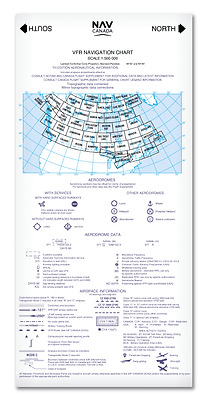
Aeronautical charts in Canada as published and produced by NavCanada’s Aeronautical Information Services and distributed by NavCanada’s Aeronautical Publication sales and Distribution Unit.
As the world changes around us, our navigation charts will eventually be inaccurate as new obstacles and landmarks are missing. Nav Canada will update VNCs and VTAs when there are enough changes which is on average every two years.
Until NavCanada has released a new VFR Chart, there are two resources we can check for new obstructions, airspace changes, revisions, etc.
-
NOTAMs using CFPS
-
The CFS (Canadian Flight Supplement) under the Flight Planning section. New updates will be included as a NOTAM until the next CFS is released (every 56 days). Obstructions and airspace changes that were previously in a NOTAM will be found in this section.
Click here to access the Nav Canada VFR Chart Listings.
Nemo WX
Nemo WX provides aviation weather for airports that often don't report a METAR otherwise. Nemo WX also translates METAR text reports into easy-to-read visuals.
At the time of writing, Nemo WX provides weather information for the following:
-
Arthur (CPC3)
-
Brampton-Caledon (CNC3)
-
Brantford (CYFD)
-
Burlington (CZBA)
-
Grimsby (CNZ8)
-
Guelph (CNC4)
-
Lindsay (CNF4)
-
Midland/Huronia (CYEE)
-
Parry Sound (CNK4)
-
Sarnia (CYZR)
-
St. Thomas (CYQS)
-
Stratford (CYSA)
Note: not all airports are available via Nemo WX, only a select few that generally do not report a METAR or TAF elsewhere.
Nemo WX is a great secondary weather tool for pilots who often fly into the airports listed. Many pilots double-check conditions or help students better understand complex weather patterns.
Click here to access NemoWX.

Pilot Institute
When it comes to online aviation education, Pilot Institute stands out as a trusted and well-respected name in the industry. Based in the United States, Pilot Institute is best known for its comprehensive online ground school programs, but what many pilots don’t realize is just how valuable their free educational content can be, including for pilots training or flying outside the U.S.
It’s important to note that Pilot Institute’s paid ground school courses cannot be used toward a recommendation for Transport Canada (TC) written exams. However, that limitation doesn’t diminish the usefulness of their material. In fact, Pilot Institute offers an excellent selection of free courses that focus on practical knowledge and real-world understanding, making them applicable to pilots around the globe regardless of licensing authority.
✈️Aircraft Deep Dive
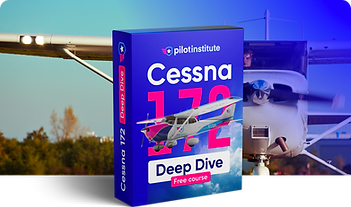
Pilot Institute’s Aircraft Deep Dive series is particularly valuable for student and low-time pilots, as well as pilots transitioning to a new aircraft type. These courses go far beyond memorizing numbers and procedures, focusing instead on how and why systems work.
Current aircraft covered include:
-
Cessna 172
-
Diamond DA40
-
Piper Warrior / Cherokee
Each course breaks down aircraft systems in a clear, visual, and easy-to-understand way, covering engines, fuel systems, electrical systems, flight controls, normal procedures, and emergency procedures. Even if you’re flying a slightly different model or variant, the foundational knowledge translates well and helps build stronger system comprehension and confidence in the cockpit. As always, consult the POH for your specific aircraft.
CX3 Deep Dive
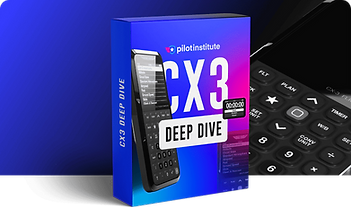
The CX-3 Deep Dive course is a fantastic resource for pilots who use (or plan to use) this popular electronic flight computer. Rather than just showing which buttons to press, the course explains:
-
When to use the CX-3 versus mental math or other tools
-
How to efficiently perform common flight planning calculations
-
Tips to avoid common mistakes during exams and real-world flying
This course is especially useful for student pilots preparing for written exams or flight planning exercises, regardless of whether they’re training under FAA, TC, EASA, or another authority.
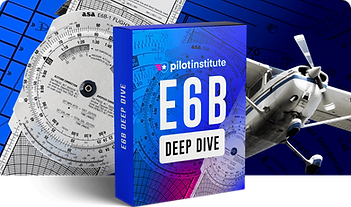
E6B Deep Dive
For pilots who prefer or are required to use a traditional E6B, Pilot Institute’s E6B Deep Dive is an outstanding refresher. The course walks through:
-
Wind correction and ground speed calculations
-
Fuel burn and endurance planning
-
Time, distance, and speed problems
Even experienced pilots often discover more efficient techniques or gain a clearer understanding of calculations they’ve been using for years. It’s a great confidence booster before exams and an excellent way to sharpen fundamental skills.
CX-3 Online
The CX-3 Flight Computer is a modern take on the traditional E6B. The CX-3 provides a fast, accurate flight computing solution and takes confusion out of the equation for ground school study, preflight planning, and en-route navigation. Fast, versatile and easy to use, the CX-3 delivers accurate results quickly and efficiently through an intuitive menu structure designed to follow typical flight planning sequences with a minimum of keystrokes. It can be used on all FAA and Canadian pilot, mechanic, and dispatcher knowledge exams.
I strongly recommend purchasing a CX-3 for your written exam and flight test, however, until then the CX-3 is available online for free.
Click here to "test drive" the CX-3 before buying.

ADS-B Exchange
ADS-B (Automatic Dependent Surveillance Broadcast) is the newest surveillance system. Aircraft equipped with ADS-B out first determines its position via satellite navigation and the periodically broadcasts this to either ground-based or satellite-based stations, enabling it to be tracked. Aircraft equipped with ADS-B in or using a device such as Sentry or Stratus can see other aircraft broadcasting ADS-B out. This increases pilot situational awareness and overall safety.
ADS-B Exchange takes this broadcast data and makes it accessible online. Unlike some other flight-tracking websites, ADS-B Exchange is known for its open and unfiltered approach to ADS-B data. The platform aggregates information from a global network of volunteer-operated receivers, displaying aircraft positions with minimal blocking or anonymization.
ADS-B Exchange doesn’t replace onboard ADS-B equipment or ATC services, but it complements them well. As a free, web-based resource built on real surveillance data, it offers insight into the dynamic nature of modern air traffic and reinforces the importance of ADS-B technology in today’s aviation environment.
ADS-B was particularly useful when flying to the practice area. At my home airport, both flight schools had their entire fleets equipped with ADS-B Out. Before takeoff, I would check the positions of other training aircraft to see where students were already operating. While this method isn’t foolproof, it significantly improved my situational awareness and helped me plan where in the practice area I wanted to work, reducing congestion and increasing safety.

Apps
Apps have become essential tools in aviation, supporting pilots with planning, situational awareness, weather briefings, training, and real-time data while in-flight. Whether used during flight planning, ground school, or in-flight reference, aviation apps can significantly enhance safety, efficiency, and proficiency. The following apps are ones that I personally use, and are also widely used within the general aviation community, providing valuable functionality for pilots at all stages of training and experience.
FltPlan Go
FltPlan Go is a free alternative to other Electronic Flight Bags (EFBs) such as ForeFlight or Garmin Pilot, designed for VFR and IFR flight planning. FltPlan Go is integrated with FltPlan.com (a Garmin company), enabling users to create a file flight plans, which will then sync to the FltPlan Go App. Additionally, it offers moving-map navigation, route planning, georeferenced charts, airport information, and ADS-B integration. The app supports both pre-flight preparation and in-flight situational awareness, making it particularly useful for student pilots and cost-conscious operators.
In summary, while FltPlan Go doesn't offer as many features as some EFBs, FltPlan Go is widely used by pilots of all levels, including my first CFI who use it thought his entire CPL, Instructor Rating, and throughout various 702 operations - my point being, FltPlan Go offers incredible value and usability.

ForeFlight
ForeFlight is a comprehensive electronic flight bag (EFB) widely used by general aviation, commercial, and business aviation pilots. The app integrates flight planning, navigation, weather briefing, aircraft performance, and document management into a single platform. Key features include interactive maps, georeferenced charts and approach plates, NOTAMs, weight and balance calculations, fuel planning, and real-time weather overlays. ForeFlight also supports ADS-B traffic and weather, logbook tracking, and extensive pre-flight briefing tools. Its depth of functionality and regulatory alignment make it a primary flight planning and situational awareness tool for many pilots.
ForeFlight is an incredibly powerful tool, with it covering a wide range of flight planning tasks. This is why I recommend new pilot (specifically student pilots that have not completed their PPL) hold off on purchasing ForeFlight, or at least using it for flight planning, until they have learned and become proficient using the "old fashion" way: nav log, paper VNC's, and plotters. While there is the argument that the "old fashion" way is not used nor relevant in many commercial operations, there are two key reasons I recommend learning it anyways:
-
It teaches you the foundational aspects of flight planning, ensuring you understand why and how we found these results or made that decisions, and
-
If that isn't good enough reason, your flight test requires that you have an updated VNC with your cross country plotted, along with a nav log and calculations for the examiner to review.
The Flight Test Guide states software-generated flight planning is acceptable, but the candidate must be able to explain some of the
key elements of flight planning such as estimated time enroute, fuel requirements, contingencies, etc. Our recomendation is to complete all core flight planning the "old fashion" way, and use EFBs such as ForeFlight, Garmin Pilot, for FltPlan Go as a complementary source of informaiton. Hint: ForeFlight produces a great weather, NOTAM, and flight briefing, but more on this in our article on Planning Your Cross Country Flight (coming soon!).


VOR Simulator - Pilot Institute
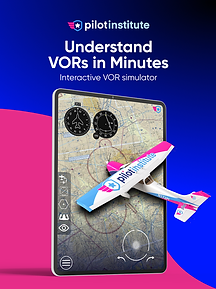
VOR Simulator is a training-focused application developed by Pilot Institute that helps pilots develop and reinforce VOR navigation skills. Through interactive simulations, users can practice radial interception, tracking, and orientation without being in an aircraft. This app is especially valuable for ground training and instrument rating preparation.
Practice realistic dual VOR positioning to fix your location on the map. Experience authentic navigation features including To/From indicators, Cone of Confusion effects, and radial interception. Choose between HSI or CDI displays and toggle between three detailed aircraft: King Air, Cessna 172, or Piper Cherokee.
Garmin GPS Trainer
Garmin GPS Trainer allows pilots to simulate and practice using Garmin avionics systems (GPS 175, GNC 355 or GNX 375) commonly found in general aviation aircraft. Users can explore menus, procedures, and GPS functionality in a risk-free environment. This app is particularly valuable for pilots transitioning to Garmin-equipped aircraft or preparing for IFR operations.


Hangar
Hangar is an innovative app designed for the aviation community, offering a unique platform where enthusiasts can share multi-leg flight paths powered by existing ADS-B technology. I like to describe Hangar as a social media platform for pilots.
Their platform allows pilots to share their flights with friends or the entire community. The app includes pilot profiles that showcase certificates, ratings, favorite airplanes, and home base airports, alongside posted flights and user statistics.
Hangar Pro (their paid version) offers features such as weather overlays, 3D replays, and automated tracking. Our favourite feature is non-pilot tracking, allowing pilots to share their flight details with loved ones using family tracking passes, so they can track your flight and stay updated on your location and progress in real-time.


Flightradar 24
Flightradar24 is a real-time flight tracking application that displays aircraft positions, routes, altitudes, and speeds using ADS-B and radar data. Pilots can use the app to monitor traffic, gain situational awareness of regional operations, or simply see what plane is flying over. It is also a useful educational tool for understanding traffic flow around busy airports.


Live ATC (Air Traffic Control)
Live ATC lets pilots and aviation enthusiasts tune in to real-time air traffic control communications from hundreds of airports worldwide. By streaming live pilot-to-controller and ground/approach communications, the app offers an immersive way to practice phraseology, improve radio listening skills, or simply stay connected to operations at airports you use frequently.
LiveATC is particularly useful for student pilots who are developing confidence communicating with ATC. I recommend spending time listening to local frequencies, as this allows you to (1) observe how other pilots communicate with controllers and (2) anticipate ATC instructions. However, there are a few cautions. Many pilots develop poor habits and do not consistently use proper phraseology, be careful not to adopt these. Additionally, while anticipating instructions can be helpful, remain mindful of expectation bias, which occurs when you hear or interpret information based on what you expect rather than what was actually said.
Windy
Windy is a powerful weather visualization app that brings global meteorological data to your fingertips. Pilots can explore animated wind maps, forecast models (like ECMWF and GFS), cloud cover, precipitation, temperature and more, all overlaid on intuitive, interactive charts that help with both strategic flight planning and situational awareness.
While not aviation-specific in its core design and not an official source of aviation weather, Windy's ability to show winds aloft, pressure systems, and weather patterns in high detail makes it a go-to secondary tool for pre-flight weather analysis.
The screenshot on the right highlights several key features available in Windy. Shown are:
-
The Class B (or Class C in Canada) airspace surrounding KDTW, including altitude boundaries and surface winds within the selected Terminal Control Area
-
The METAR for CYXU
-
Reported METARs for surrounding airports, categorized as VFR, MVFR, IFR, or LIFR
-
Surface wind direction, indicated by white wind barbs and the map’s color shading
-
The pressure gradient, depicted by white isobars (note: for Canadian pilots, the GFA displays pressure isobars at 4-hectopascal intervals, whereas Windy displays them at 2-hectopascal intervals)
MetarTAF
MetarTAF is a streamlined weather app built specifically for pilots who need quick access to current METAR reports and TAF forecasts. It pulls live aviation weather data from official sources, giving users instant METAR conditions, TAF forecasts, NOTAMs, wind components, and flight category (VFR/IFR) information for airports around the world. MetarTAF is great for new pilots learning to decode METAR and TAFs. Additionally, it can be used as a secondary source to visualize what the METAR and TAFs are reporting.
Station WX
Similar to MetarTAF, Station WX focuses on delivering concise METAR and weather snapshot information across multiple airports at once. Pilots can view decoded weather data, current flight categories, and trends for several nearby stations simultaneously. This simplifies the process of checking conditions at departure, destination, and alternates all from one screen, helping pilots make faster decisions during planning and pre-flight checks.
My favourite feature of Station WX are the widgets. This allows you to display METAR and TAFs on your iPhone/iPad home screen and while using Apply Carplay.
TC Air
Unlike other apps on this list, TC Air is an official Transport Canada Civil Aviation app designed to simplify administrative tasks for Canadian pilots. Through the app, users can apply for or renew their Aviation Document Booklet (ADB) directly from a mobile device, upload required photos, and receive status notifications. It’s a handy operational support tool especially for general aviation pilots navigating regulatory requirements in Canada.
When I first applied for by ADB, I received confirmation that it was approved within 2 weeks, and received it 1 week later.